If you’re building a PC for the first time, it can be a little scary. There are a lot of parts, and a lot of options for each of those – where do you start?
Personally, I start with resources and requirements. When I have done a build or spec for other people, my first two questions are:
- What do you want it to do?
- What’s your budget?
I recently did a parts list for someone online. It was her first PC build, and she was after a list of general components, and some recommendations for each. Overall, she was after a gaming PC capable of playing Overwatch, Rainbow Six Siege, Apex Legends, and Modern Warfare – preferably under $1200 (or £975).
With this information, you can build a PC: your resources (cost) and requirements (gaming PC to play the listed games).
First place I looked was the recommended system requirements for each game; most of them suggested at least an i5-2500K CPU, and an NVIDIA 970 GPU, with 8 to 12 GB of RAM. So, the built PC had to be at least that level. Of course, I wanted it to be better.
I started with the processor, it’s a pretty major component and gets the ball rolling onto other parts of the build. The i5-2500K is an older card, released back in 2011; it’s not a bad card, but it is old and discontinued. This is where you check benchmarks. A benchmark website will rank components based on certain tests, keeping things as fair as possible. It will more often than not also tell you the cost of the part you’re looking at, and compare chips based on price and performance.
In this case, a decent CPU at this price range was the AMD Ryzen 5 3600X. It fares pretty well against the recommended i5, and is good value for money.
The next step is working out which motherboards are compatible with this processor. I did another post on things to keep in mind with a PC build, so if you’re wondering what makes things compatible you can find that post here. The socket on this processor is an AM4, which nicely narrowed down my choices. Reading around some reviews and looking into the specs of the boards, I decided that the ASUS ROG STRIX B450-F GAMING ATX motherboard was what I wanted. It’s a board with good reviews and plenty of room for expansion. Again, this is a longevity thing – my goal is to future-proof this PC as much as possible.
Like basically every motherboard these days, it only takes DDR4 RAM. No big deal. My go-to RAM is Corsair Vengeance. Corsair is a reliable company, and I’ve used their RAM for years without any issues. A lot of the games recommended between 8 to 12 GB of RAM, but then there’s background processes to consider, too. I went safe and threw in 32 GB of RAM. Overkill? Maybe. But it means that the PC isn’t limited in function. If you want to stream as you play, you can without it being too much of an issue. You have Discord in the background? Not an issue. 32 GB also increases your capacity to stream, which more people are after these says.
Which bring me onto less randomly-accessed memory: the hard drives. I opted for basically what I use: a Western Digital Blue HDD, and a Samsung 860 EVO SSD. I suggested 1 TB for the HDD and 500 GB for the SSD, but honestly it was a decision based on budget. I personally use 2 TB and 1 TB respectively, with aims to add more in the future. But that’s the thing with storage – you can add more. While WD Blues aren’t exactly top-tier gaming quality, they’re good drives all the same – easy to work with and relaible. But if you’re in the market for something more specialised, WD also do a Black HDD which they promote as ‘for gaming’.
The main event for gaming though is arguably the graphics card. While these games aren’t overly graphically demanding, I knew that Modern Warfare is capable of using Ray-Tracing. And given that RTX is the next major thing for PC gaming, I really wanted to incorporate it into this build. As nice as a 2080 TI might be, they’re a little pricey. A 2060 though… Not that bad. The EVGA GeForce RTX 2060 KO ULTRA GAMING (which is an awful name) is well worth the price when you compare it to it’s 2070 and 2080 cousins. It does all we need it to do and more, at a more budget-friendly price… Or, at least it looks that way because the other 20-series cards are stupidly expensive.
Now to power the damned thing. Again, I like to make sure the PSU can handle expansion and future-proofing, and I like to stick to brands I trust. Welcome back our buddies over at Corsair, with their energy-efficient (because here at PanaceaPlays we like to attempt to care about that sort of thing) RM 2019 PSU! This particular model is rated at 750 W, meaning that it will cope with expansion pretty well. Supplying enough power to keep you running shouldn’t be a problem with this unit. It has good reviews, energy-efficient as I said before, and is fully modular. This means that it can handle whatever bits and pieces you add in, you’re not restricted with only certain cables available.
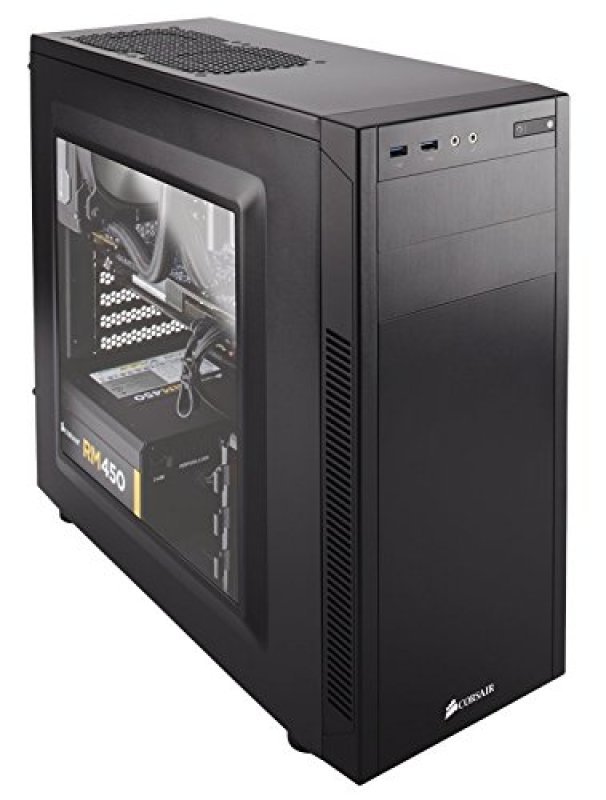
For the build I arbitrarily picked a case, again by Corsair – I’m not sponsored, I swear, but if someone wants to make that happen, let me know. A cheap optical drive would be pretty handy, and at £20 it isn’t the end of the world in the grand scheme of things. And then the operating system, Windows 10 Home because it’s basically the vanilla of OS. These things are pretty much up to the buyer though, and I only included them for budget reasons. Maybe you want to go for a case by NZXT, perhaps you don’t need an optical drive because who uses CDs anymore? And maybe you’re a Linux fiend who shuns the concept of Windows. What I’m basically saying is little-to-no thought went into these components, only that a PC tower sort of needs a tower, and it’s a lot easier to use a PC with an operating system.
Overall, this PC meets the brief I was given more or less. This build will play the listed games and more, it will last for a few years before it’s totally irrelevant, and came to about $1200 according to PC Part Picker – which is a Godsend of a website when it comes to building a PC. It took me about an hour to put the build together for the user, and they seemed happy with it.
I hope this little example guide helps you out when considering your build and where to begin.
Good luck; have fun!
Do you wanna build a PC? Come on, let’s go and play.
If this PC sounds like something you’d be interested in, here are the parts & links to Amazon. There are affiliate links, I do get a small kickback from these links but you don’t pay more than normal Amazon prices. The Amazon total may not come to $1200 because my price was based on the PC Parts Picker list, which sources from a variety of website.
CPU: AMD Ryzen 5 3600X
Motherboard: ASUS ROG STRIX B450-F GAMING ATX
RAM: Corsair Vengeance LPX 32 GB (4×8 GB) Yeah, I know, this is a link to 2×8 GB, but it works out cheaper to get 2 of these packs than 1 of 4×8 GB (at time of writing, at least)
HDD: Western Digital Blue 1 TB
GPU: EVGA GeForce RTX 2060 KO ULTRA GAMING
Case: Corsair 100R
Optical Drive: LG GH24NSC0B
Operating System: Windows 10 Home

 PanaceaPlays